FaithFi Redesign:
Modernizing the Personal Finance Experience
Duration
August - December 2025
Team
Paradoxi
Role
Founding Product Designer
Project Summary
TL:DR
FaithFi’s mobile app made it difficult for users to get started and stay consistent. Onboarding required too much effort up front, and core money actions were spread across the app, creating unnecessary friction for users trying to build better financial habits.
The goal of this work was to reduce early drop-off and make daily money management feel simple and repeatable. I led product design across two initiatives: a redesigned onboarding flow to clarify value and speed up activation, and a new Daily Rhythm experience that brought high-frequency financial actions into a single, guided check-in. I partnered closely with product and engineering to design, iterate, and ship these improvements.
After shipping, onboarding completion increased by about 15 percent, early setup drop-off decreased, and users engaged with core financial actions more consistently. The Daily Rhythm flow became one of the most frequently used entry points in the app, helping users complete key tasks in fewer steps and supporting stronger day-to-day engagement.
Product Overview
What is FaithFi?
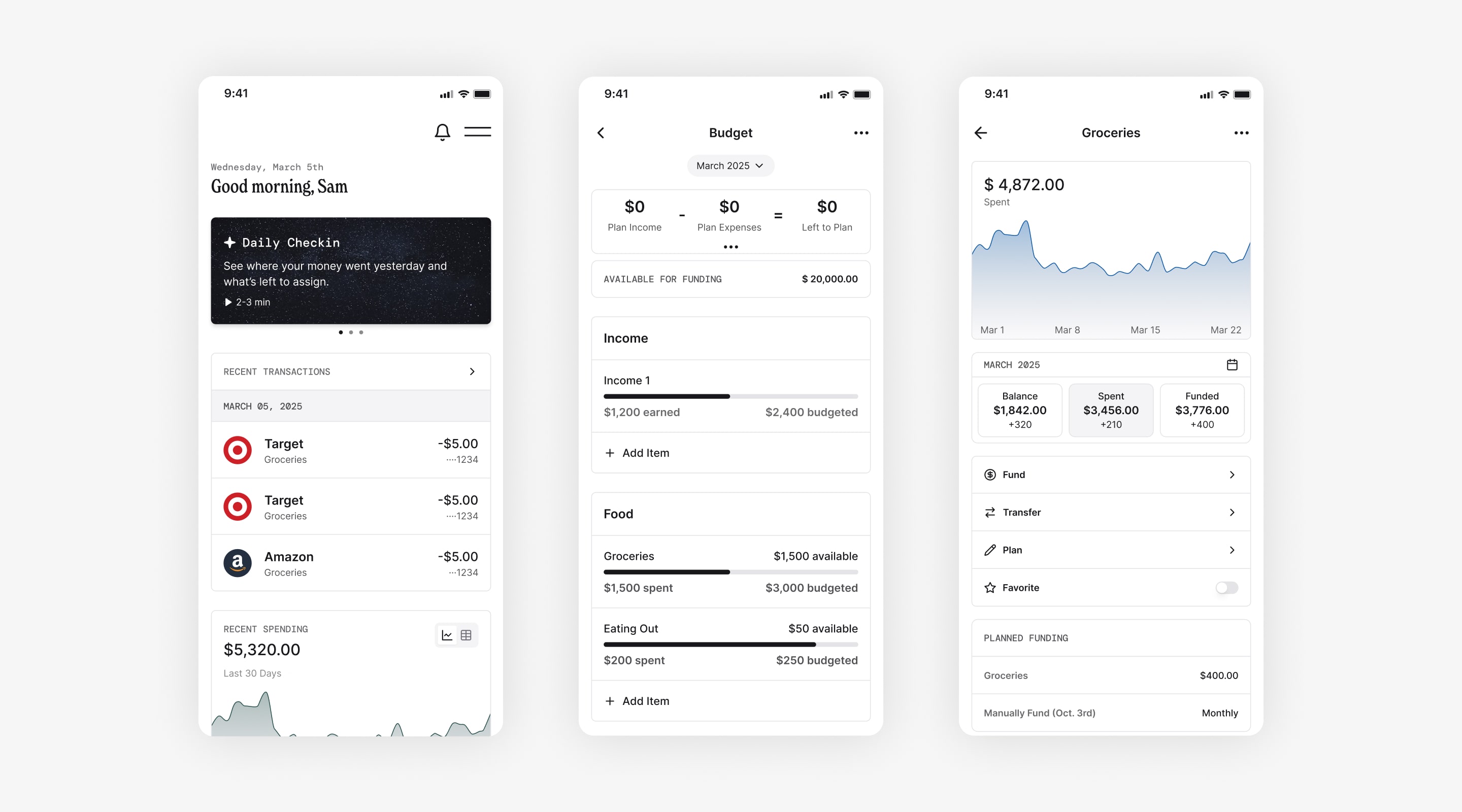
FaithFi is a mobile-first personal finance app that helps users manage their money through budgeting, expense tracking, and faith-aligned financial resources.
FaithFi is a mobile personal finance app designed to help users take control of their money while staying rooted in biblical stewardship. The app supports envelope style budgeting, monthly planning, expense tracking, and clear spending insights that help users understand where their money is going. In addition to core budgeting tools, FaithFi offers educational content and community features that guide users toward intentional and values aligned financial decisions.
Project 1
Onboarding redesign for FaithFi.
As the founding product designer, I led the redesign of FaithFi’s onboarding experience to reduce friction and improve early activation. The existing onboarding asked users to invest effort before understanding the product’s value, which slowed setup and contributed to early drop-off. I restructured the flow to clarify value earlier, streamline required steps, and build user confidence before asking for commitment.
Current problems with onboarding
Too many early questions and unclear value
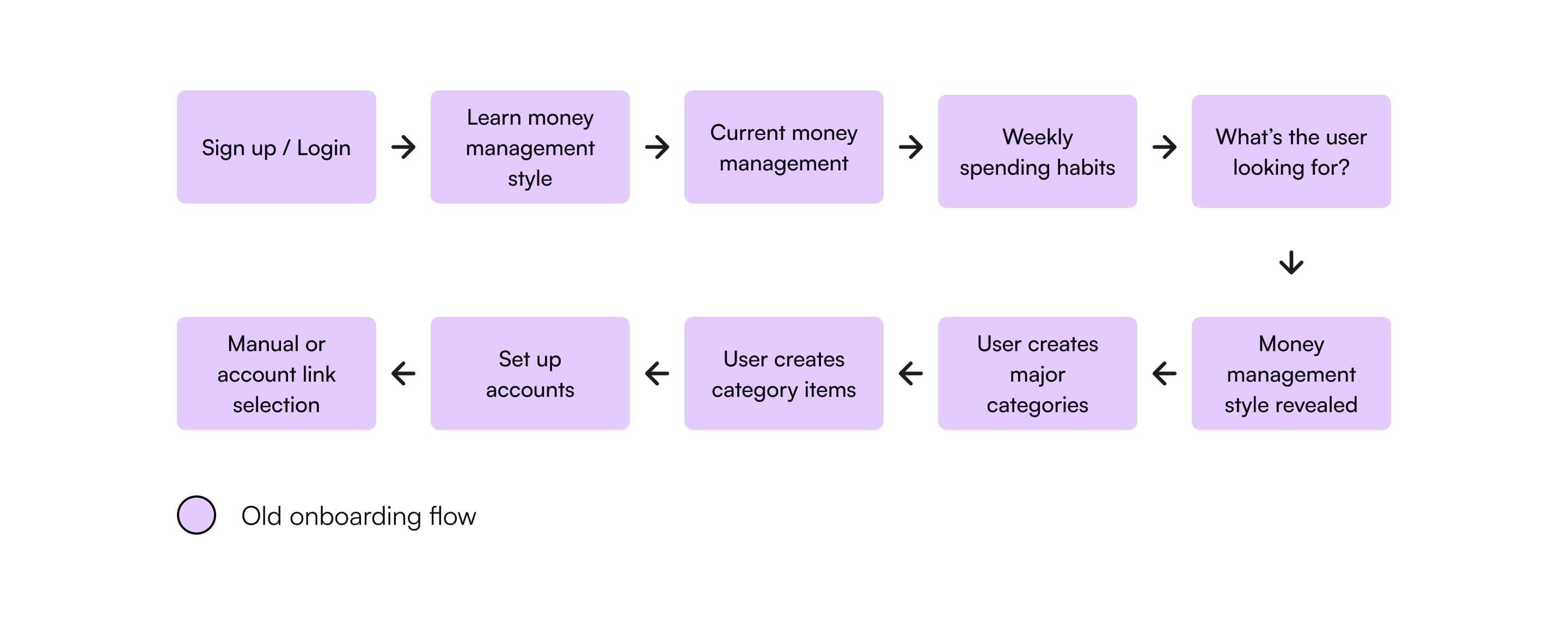
The existing onboarding experience asked users several questions upfront to determine their money management style. While the intention was to personalize the experience, this approach added multiple steps early in the flow and required users to reflect on their financial habits before they fully understood the product.
In addition, users were asked to create an account and move through setup without clear visibility into the value of FaithFi or the cost of the Pro subscription. Pricing was not shown during onboarding, which made the upgrade feel unexpected later in the experience.
Together, these issues increased cognitive load, extended time to value, and made it harder for users to confidently move forward.
My design process
Simplifying the flow while preserving insight
I began by reviewing the existing onboarding flow and identifying where users hesitated or dropped off, then aligned with product and engineering on clear onboarding goals: reduce friction, clarify value earlier, and accelerate meaningful activation.
After setting goals and outlining a high level flow, I moved into wireframing and iteration. I spent the first two weeks restructuring the onboarding sequence and refining the core steps, followed by several rounds of iteration based on internal feedback over the next few weeks.
One of the biggest learnings from this project was the importance of questioning whether personalization questions actually belonged in onboarding. While the previous flow attempted to understand users early, it ultimately slowed them down.
Key design decisions
Reducing steps and reframing personalization
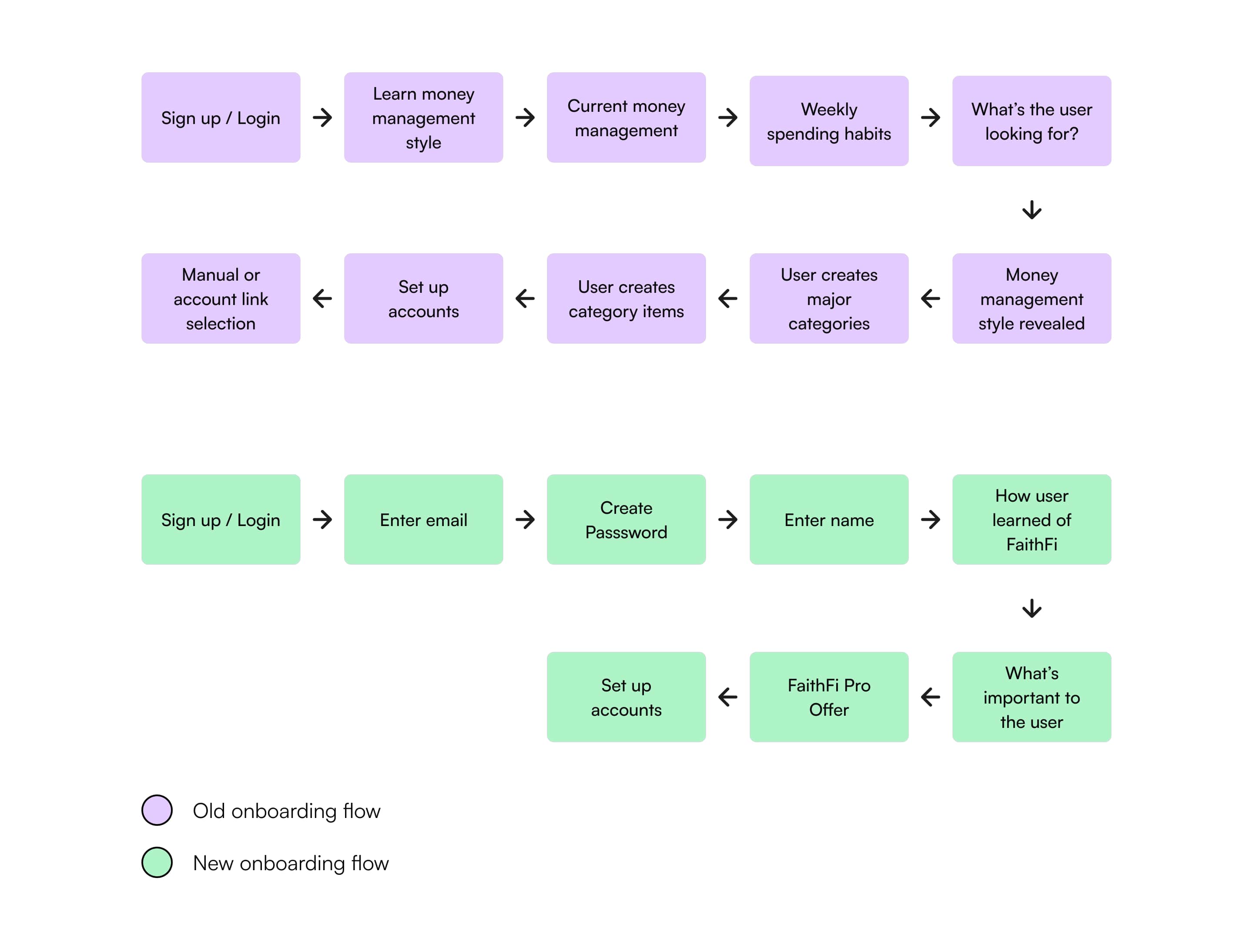
To reduce friction, we removed the money management style questions from the initial onboarding flow. Instead of asking users to self identify behaviors before reaching the app, onboarding was redesigned to focus on account creation, clarity, and momentum.
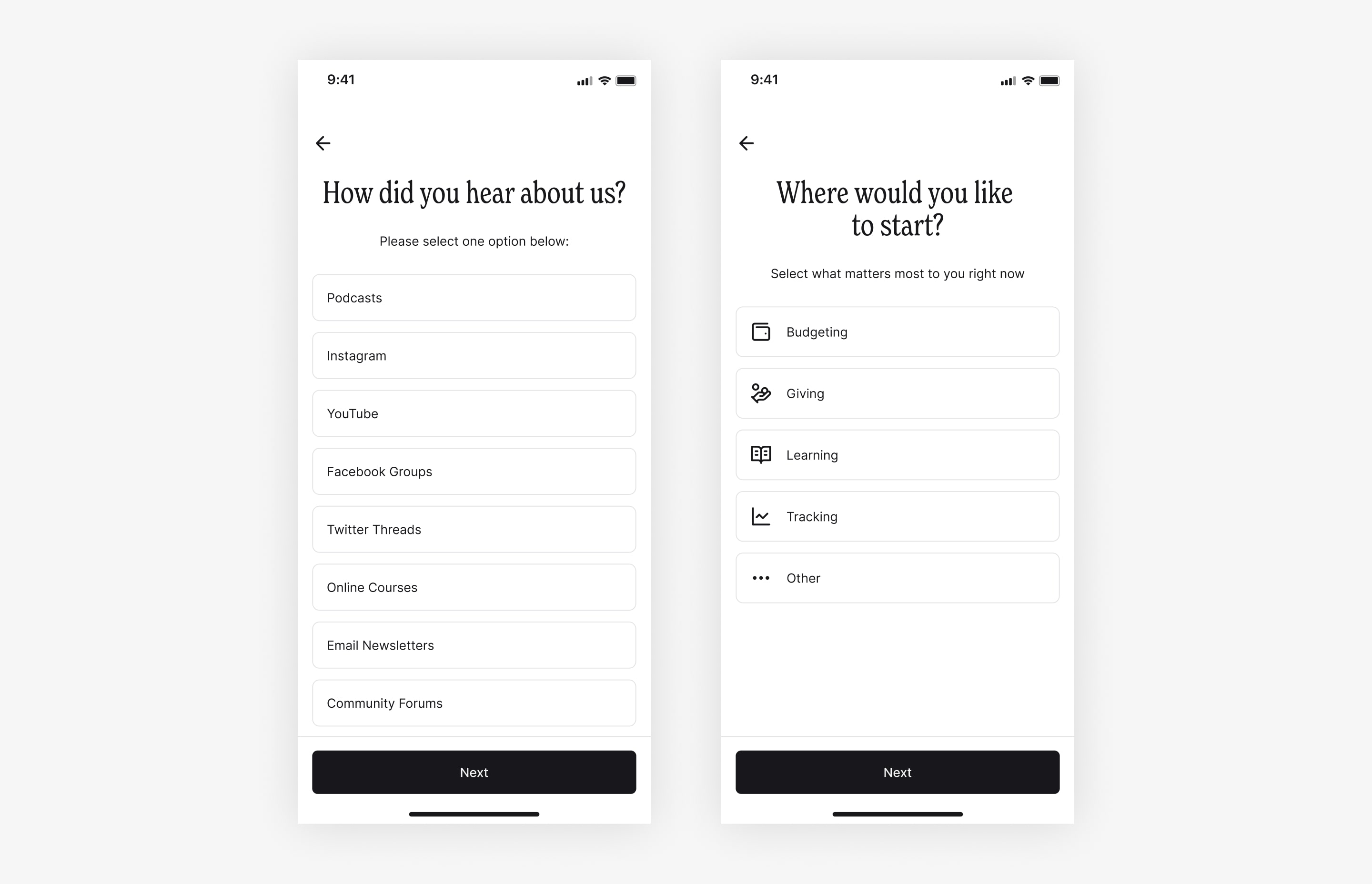
We introduced two lightweight questions later in the flow to balance simplicity with insight. One asks how users heard about FaithFi, helping the team better understand acquisition channels. The second asks what users want to focus on, such as budgeting, giving, learning, or tracking, which allows the app to better support users once they enter the experience.
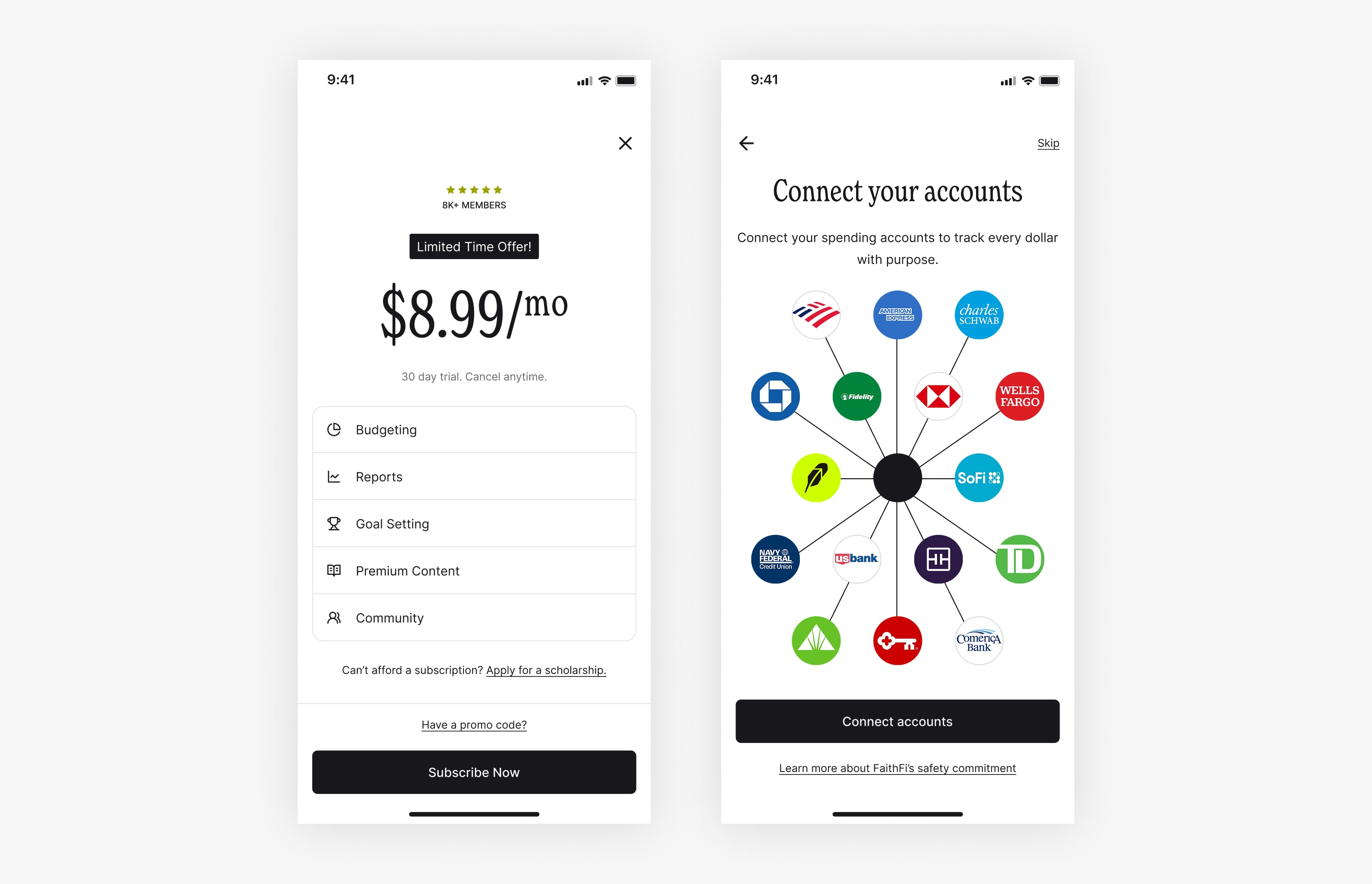
Another key change was surfacing the Pro subscription price during onboarding. This screen clearly communicates the value of Pro features and introduces a limited time offer to create urgency. By showing pricing earlier, users can make a more informed decision and better understand what they gain by upgrading.
Iterations
Trial and error, feedback, and refinement
The onboarding redesign went through multiple rounds of iteration informed by stakeholder feedback. While the overall structure remained consistent, refinements focused on reducing unnecessary inputs, clarifying language, and improving the sequencing of steps.
Each screen was designed to present a single primary action, helping users feel steady progress rather than friction. Optional steps were clearly labeled to give users control without pressure.
The design solution
A streamlined onboarding experience that builds trust and momentum
The final onboarding flow introduces FaithFi’s value before asking for commitment, reduces required steps, and defers deeper personalization until users have context. Pricing is surfaced more transparently so expectations are clear before users complete setup.
The result is an onboarding experience that feels modern, intentional, and respectful of users’ time while still supporting personalization and business needs.
Here’s a step-by-step process of users’ actions within the flow
Users get a sample of what the app looks like as well as sign up with their email.
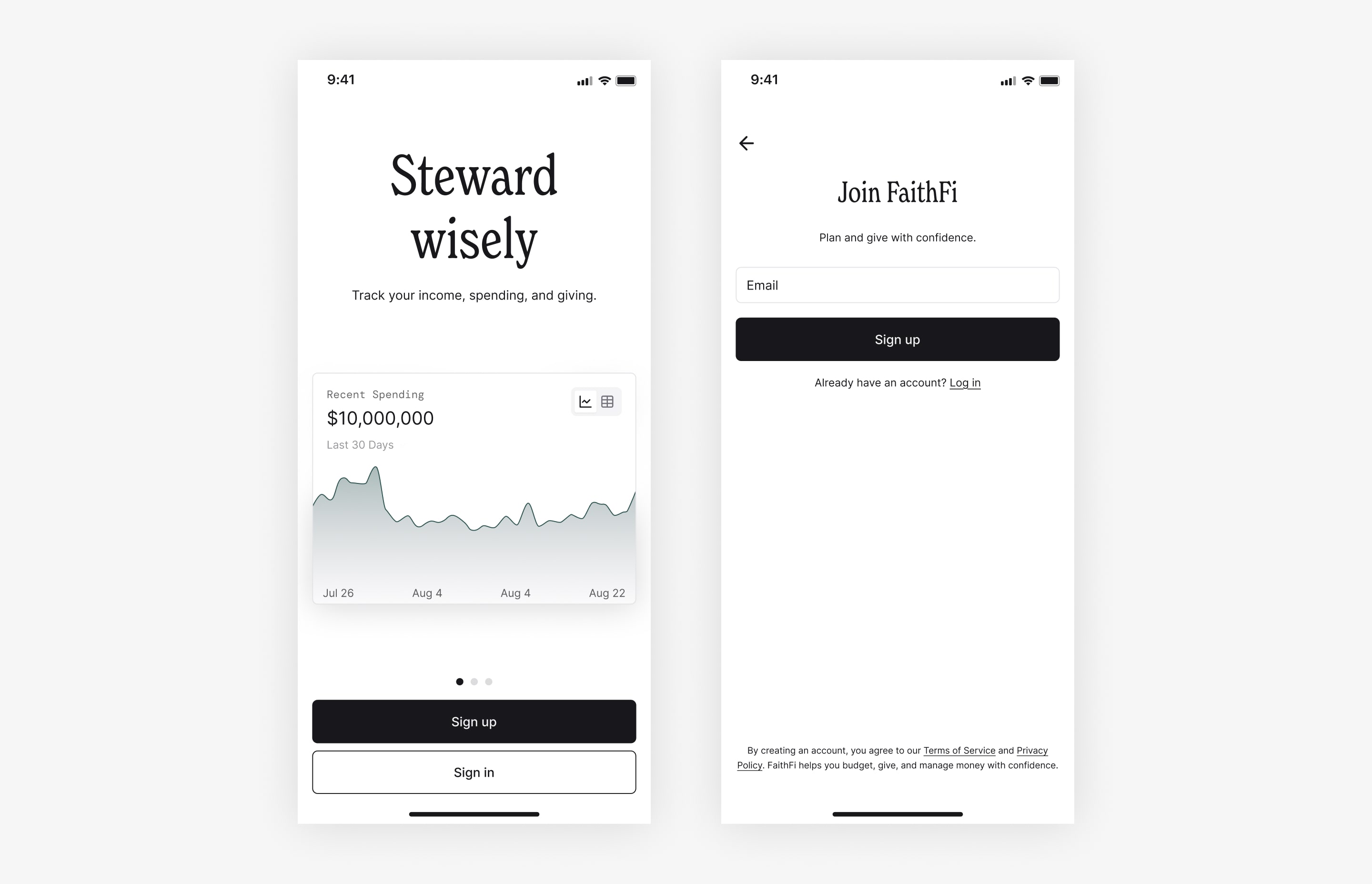
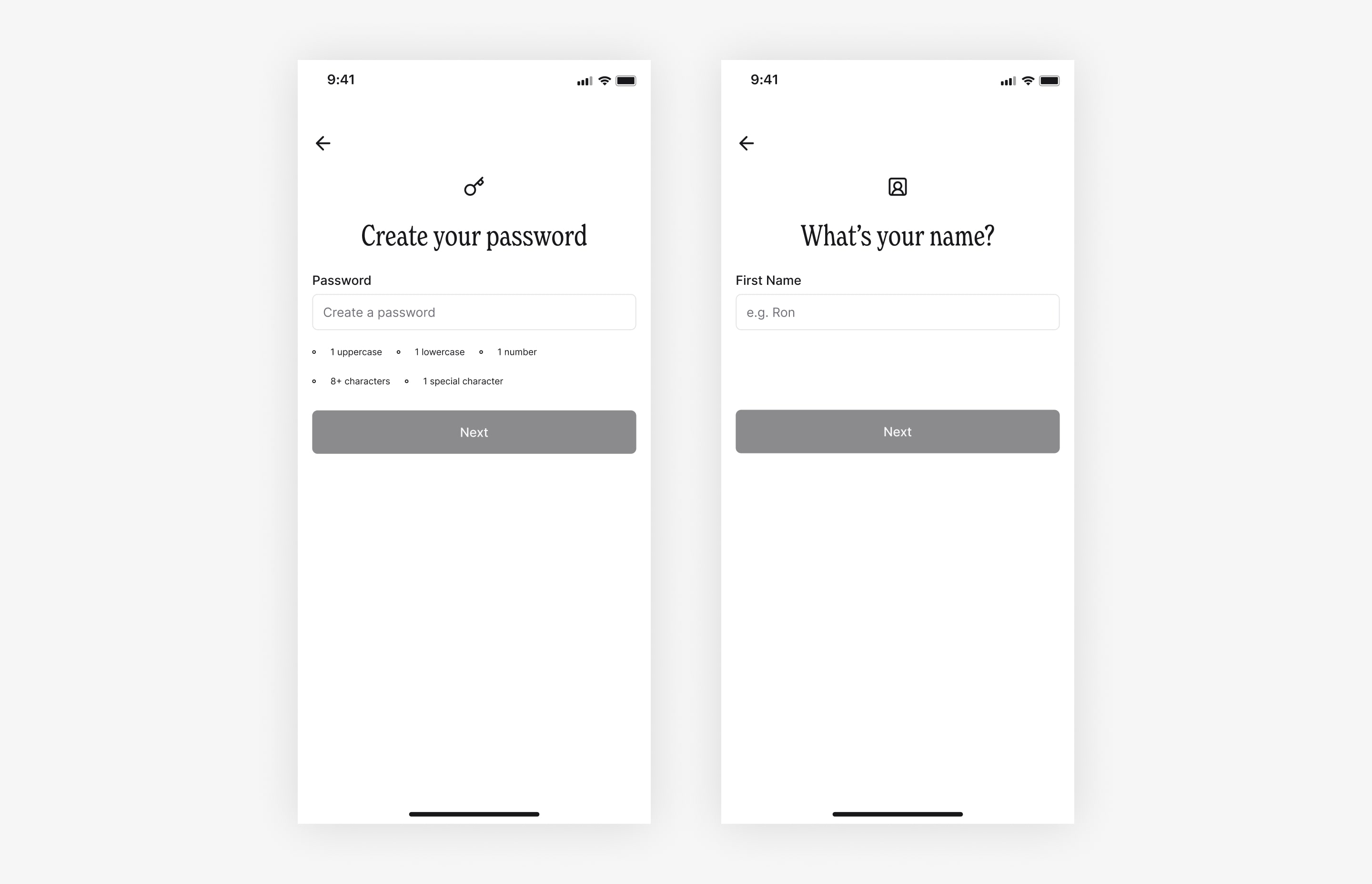
Users are guided to create a password and enter their name for a personalized experience.
Users are asked how they found the app and how the app can benefit them.
Users are then presented the offer and after prompted to connect accounts
Project 2
Daily Rhythms: One-Place Financial Check-In
For the second phase of this project, I led the design of a Daily Rhythm experience that brings users’ core financial tasks into a single, guided flow. The goal was to reduce navigation friction and support more consistent, habit-forming engagement. This project focused on early concept exploration through design and took roughly 3–4 weeks, from ideation through validation.
Why design a Daily Rhythm at all?
Most financial apps provide transactions, budgets, and educational content, but these experiences are often fragmented across different areas of the app. This fragmentation increases navigation effort and discourages users from engaging unless something feels wrong.
Through prior research and product usage, we observed that:
Users often avoid opening financial apps unless something feels wrong
Daily engagement drops when users have to “hunt” for what matters
Frequent navigation increases cognitive load and abandonment
Rather than adding more features, this project explored a different question:
What if users could do everything they needed for the day in one place?
So, what is the Daily Rhythm?
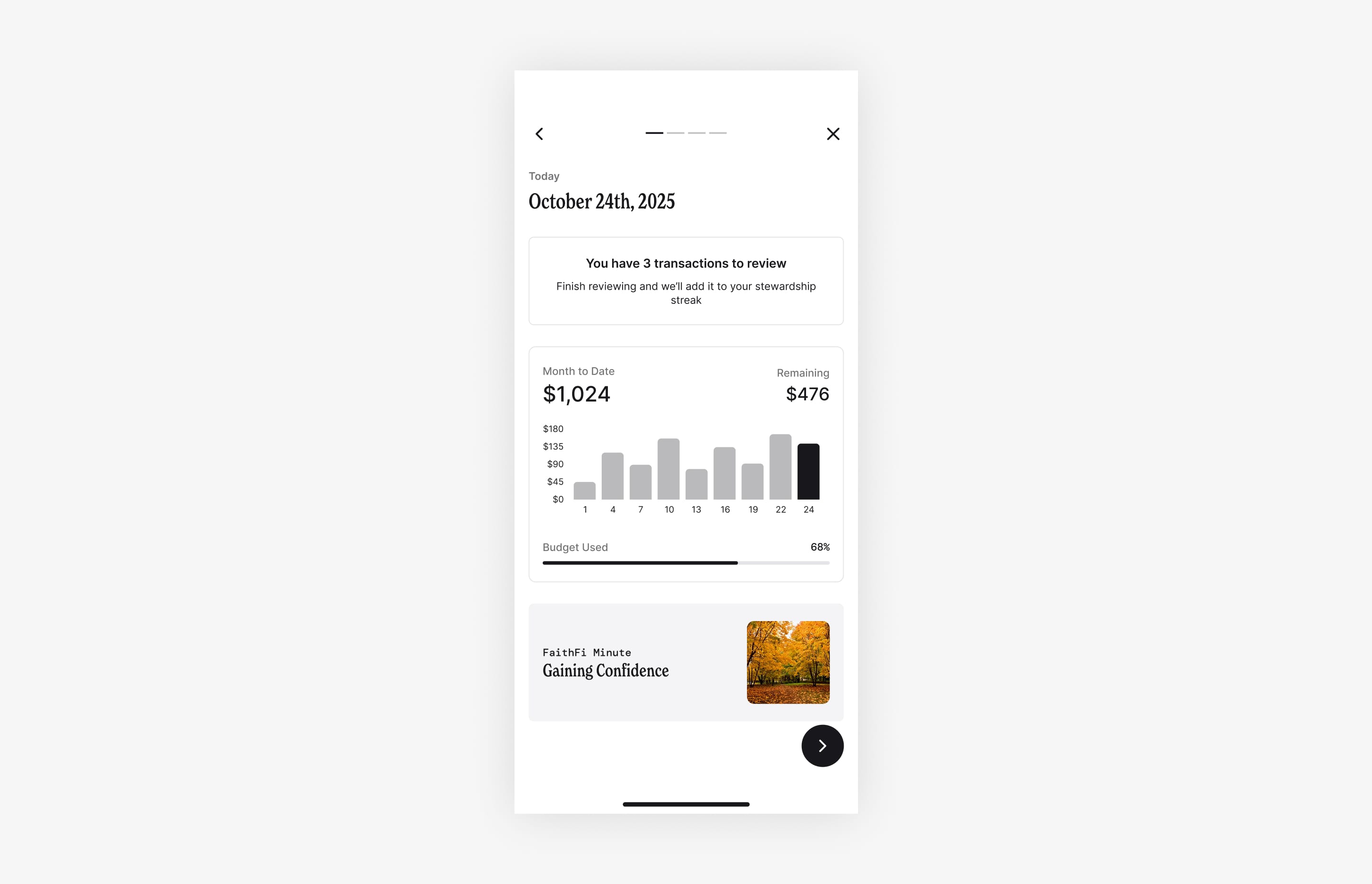
The Daily Rhythm is a single, focused surface that guides users through their daily financial responsibilities in a predictable order.
Each day starts with:
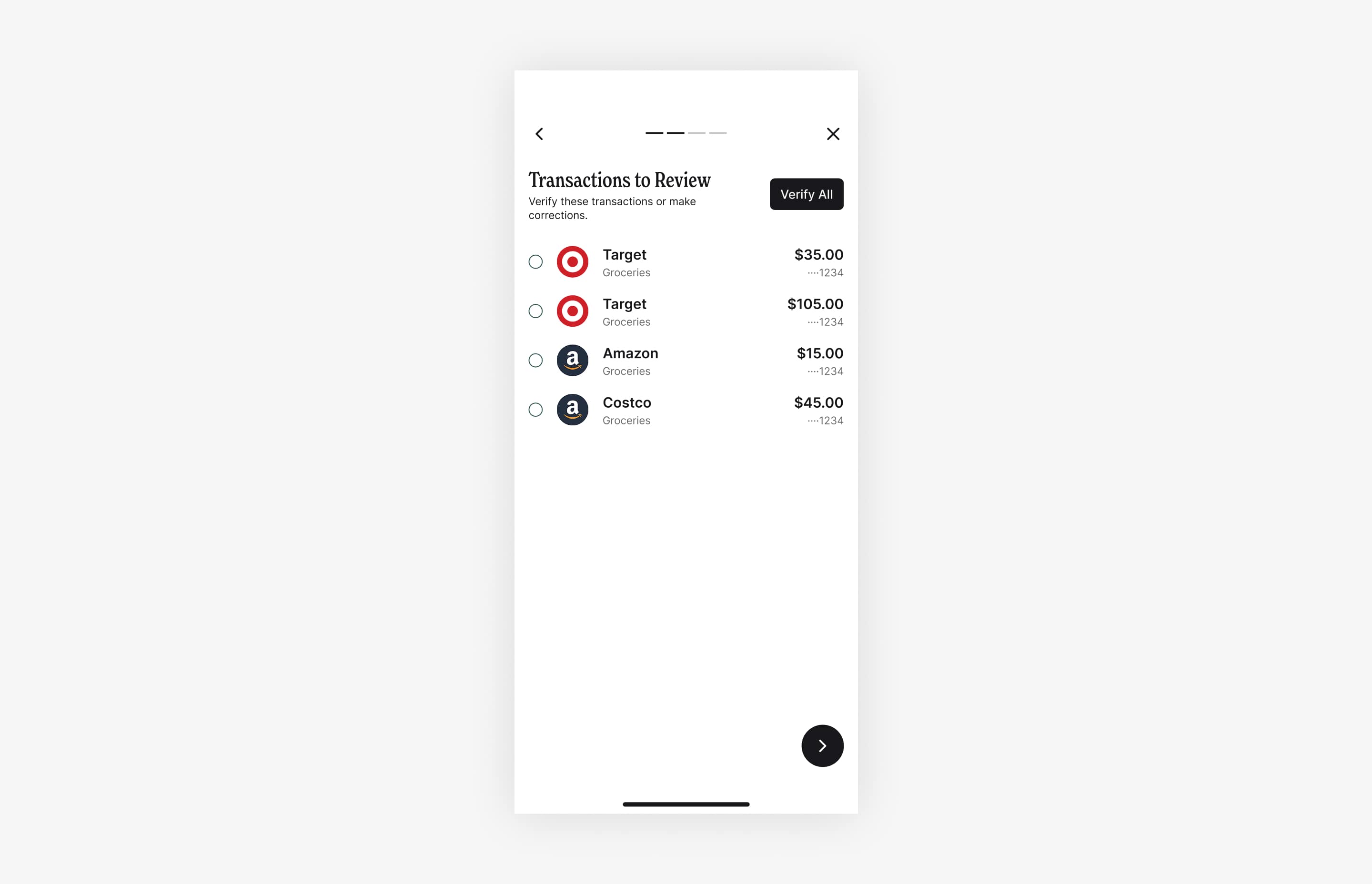
An overview of transactions that need review
A lightweight snapshot of the user’s budget and spending progress
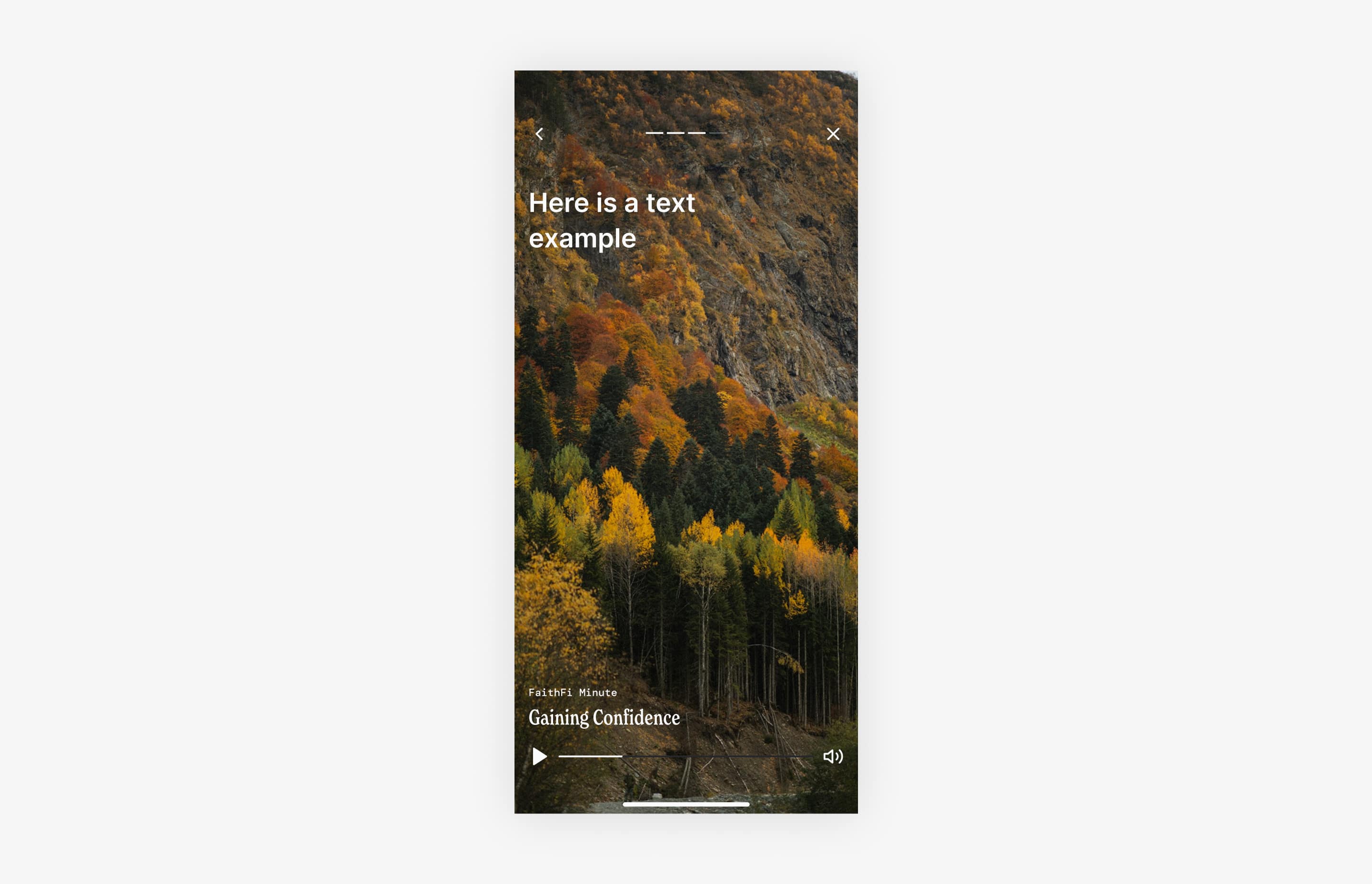
A one-minute piece of content focused on encouragement or confidence
The goal is not deep analysis, it’s daily completion and consistency.
Hypotheses: Why might this work?
Reducing navigation reduces friction.
If users don’t have to move between transactions, budgets, and content, they’re more likely to complete daily tasks.
Clear completion increases consistency.
A finite set of daily actions helps users feel “done” rather than overwhelmed.
Short, encouraging content reframes money management.
Ending the experience with a one-minute piece of content helps reinforce confidence.
Starting with the Flow
Working with Chad, the project manager, I clarified what success looks like in a single daily check-in before designing interfaces.
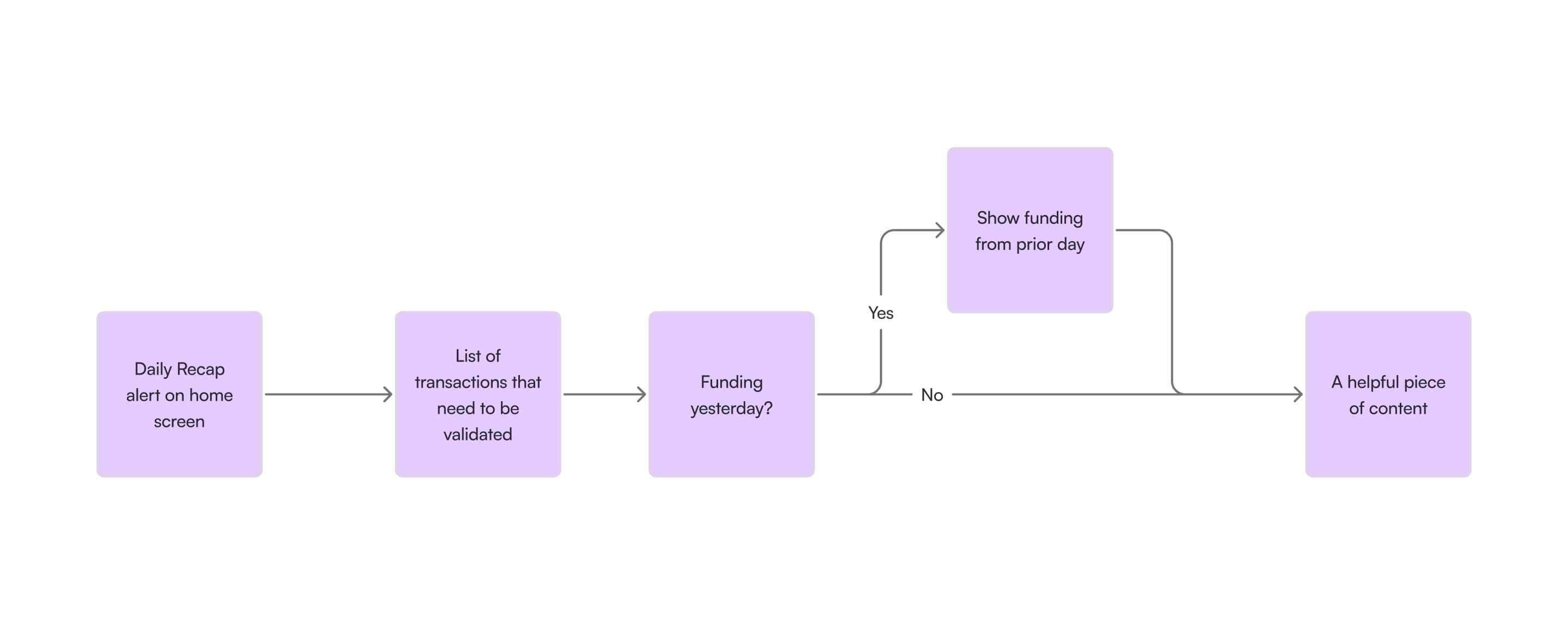
Before designing any screens, Chad (the project manager) and I worked together to define what a successful daily experience should accomplish. We focused on identifying the minimum set of actions users need to complete in a single session to feel confident and “done” for the day. This led us to map a simple, conditional flow that prioritizes reviewing and validating transactions first, surfaces relevant activity from the prior day only when applicable, and ends with a short piece of helpful content.
Establishing this flow upfront allowed us to reduce navigation, remove unnecessary steps, and design the interface around completion rather than exploration.
Designing the Daily Rhythm
Translating the flow into a guided daily experience.
With the daily flow defined, the next step was designing a single, repeatable rhythm users could move through each day. Rather than thinking in terms of screens or surfaces, the focus was on creating a guided sequence that helps users take action, gain context, and leave the app feeling complete.
This screen represents the daily rhythm in practice, guiding users through action, context, and encouragement each day.
Users validate and correct transactions from the prior day to keep their financial picture accurate.
A one-minute FaithFi Minute closes the daily rhythm with encouragement rather than obligation.
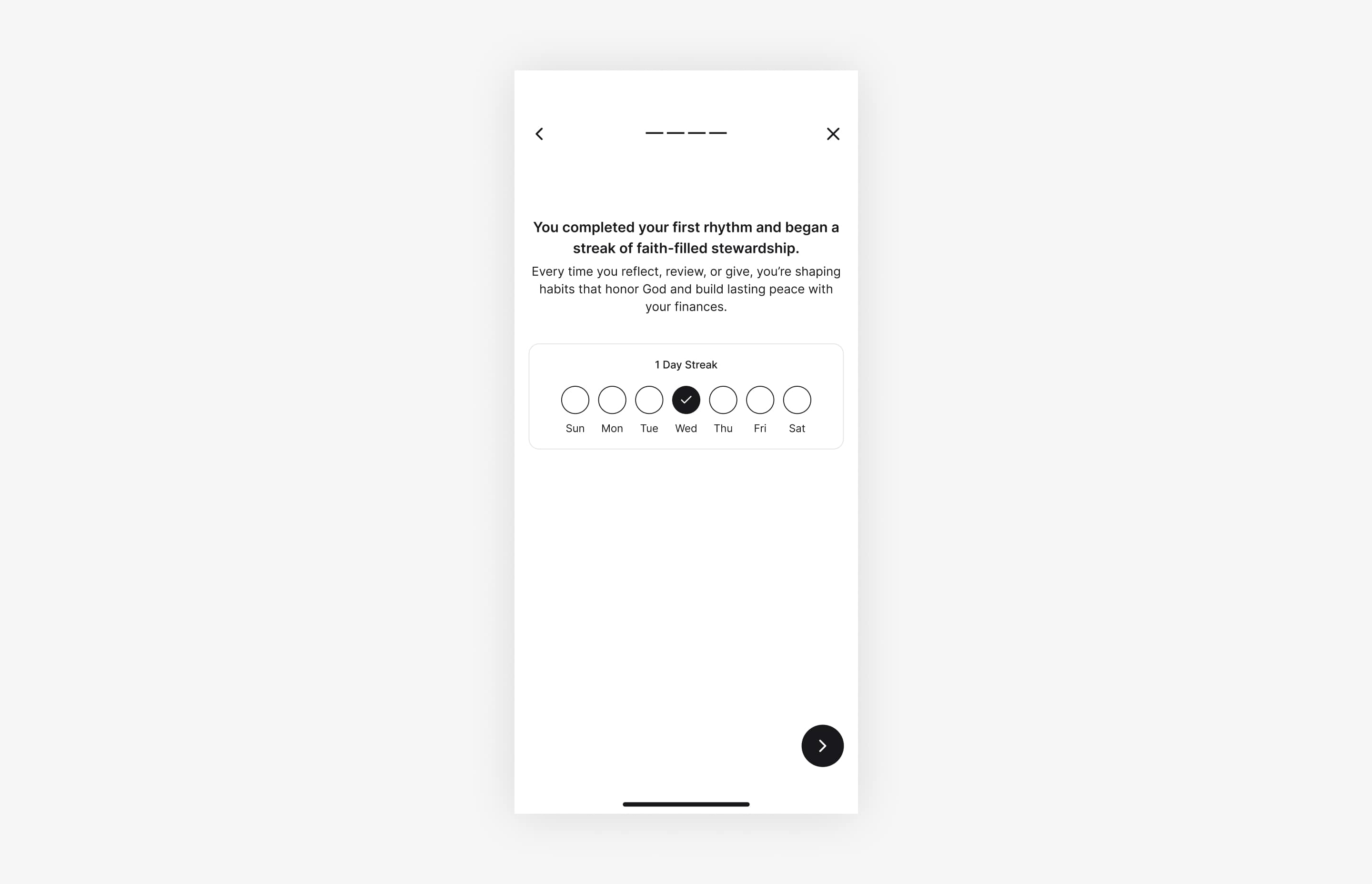
A simple streak marks completion and reinforces the habit users are building day by day.
Learning and Reflections
Design for completion, not exploration.
This project reinforced the importance of designing experiences around what users actually need to finish, not what the product is capable of showing. By framing the work around a single daily rhythm, I learned how much clarity and confidence can come from helping users feel “done” rather than encouraging deeper navigation.
Start with the flow before the interface.
Working with Chad early to define the daily flow helped prevent feature creep and unnecessary UI complexity. Mapping the rhythm upfront made it easier to make intentional tradeoffs later and ensured the final design stayed focused on user outcomes rather than screen-level decisions.
Clear collaboration accelerates good decisions.
Close collaboration with the project manager helped keep the work aligned and moving forward. Asking questions early, validating assumptions together, and grounding decisions in shared goals made the process smoother and the outcome stronger.